
18
Jan
Every urban professional knows the frustration of juggling multiple IDs and cards while trying to keep personal information safe. With increasing demands for fast verification and secure credentials in places like New York, London, and Berlin, having a smart wallet is more than just convenience. Discover how identifying your unique digital needs can help you choose a solution that blends style, safety, and seamless smart features for daily city life while prioritizing robust digital identity management.
Table of Contents
- Step 1: Assess Your Smart Wallet Needs
- Step 2: Set Up Core Security Features
- Step 3: Activate Tracking And Connectivity Options
- Step 4: Integrate Digital Payment Methods
- Step 5: Test And Verify All Smart Wallet Functions
Quick Summary
| Key Point | Explanation |
|---|---|
| 1. Assess Your Digital Wallet Needs | Evaluate your daily digital interactions to choose a wallet that secures and manages your credentials effectively. |
| 2. Implement Robust Security Measures | Set up strong authentication, encryption, and remote wipe features to protect your wallet and personal information. |
| 3. Activate Advanced Connectivity Features | Enable NFC, GPS tracking, and Bluetooth to enhance wallet functionality and simplify personal transactions. |
| 4. Integrate Diverse Payment Methods | Securely link various bank accounts and payment channels for versatile transaction capabilities within your wallet. |
| 5. Test Wallet Features Thoroughly | Conduct systematic testing of all functions to ensure consistent performance and reliability in real-world scenarios. |
Step 1: Assess Your Smart Wallet Needs
Understanding your unique smart wallet requirements is crucial for urban professionals seeking seamless digital identity management and personal security. By evaluating your specific needs, you can select a wallet that transforms how you store, share, and protect digital credentials.


The assessment process begins with a comprehensive review of your daily digital interactions. Consider the types of personal and professional data you frequently need to access or share digital identity needs. Professionals typically require wallets that can securely store multiple types of credentials such as government identification, professional certifications, financial documents, and travel information. Analyze your specific scenarios: do you travel frequently? Work in regulated industries? Need quick authentication for banking or governmental services?
Carefully map out your digital credential usage patterns. Urban professionals often need wallets that integrate smoothly with smartphone apps and offer robust security features. Look for solutions that provide encryption, biometric access, and the ability to selectively share specific information without revealing entire documents. Identity verification framework recommendations suggest prioritizing wallets with granular privacy controls.
Pro tip: Create a digital credential inventory before selecting your smart wallet to ensure you choose a solution matching 100% of your specific requirements.
Step 2: Set Up Core Security Features
Configuring robust security measures is fundamental to protecting your digital wallet and personal information. This step involves implementing multiple layers of protection to ensure your sensitive data remains secure and accessible only to you.
Begin by exploring digital ID wallet technologies that provide comprehensive security frameworks. Focus on establishing strong authentication methods such as biometric access including fingerprint or facial recognition. Enable two factor authentication whenever possible and select wallets that offer encryption for stored credentials. Pay special attention to creating complex passcodes that combine numbers, letters, and symbols to create formidable barriers against unauthorized access.

Next, manage your private keys and recovery options strategically. Secure wallet configurations require careful handling of seed phrases or recovery codes. Store these in a physically separate secure location such as a fireproof safe or encrypted digital storage. Consider using hardware wallets for an additional layer of protection that keeps your digital credentials completely offline when not in active use.
Pro tip: Enable remote device wiping capabilities to instantly protect your digital credentials if your smartphone is lost or stolen.
Here is a summary of smart wallet security features and their direct benefits:
| Security Feature | Benefit | Recommended For |
|---|---|---|
| Biometric Access | Prevents unauthorized wallet entry | High-security users |
| Two-Factor Authentication | Adds a second protection layer | Banking and sensitive data |
| Device Encryption | Secures stored credentials against theft | All digital wallets |
| Remote Wipe | Instantly protects lost/stolen devices | Frequent travelers |
| Hardware Wallet Option | Keeps keys confidential offline | Crypto asset holders |
Step 3: Activate Tracking and Connectivity Options
Enhancing your smart wallet’s functionality requires strategic activation of advanced tracking and connectivity features. This step will help you transform your digital wallet from a simple storage tool into an intelligent personal assistant that adapts to your urban lifestyle.
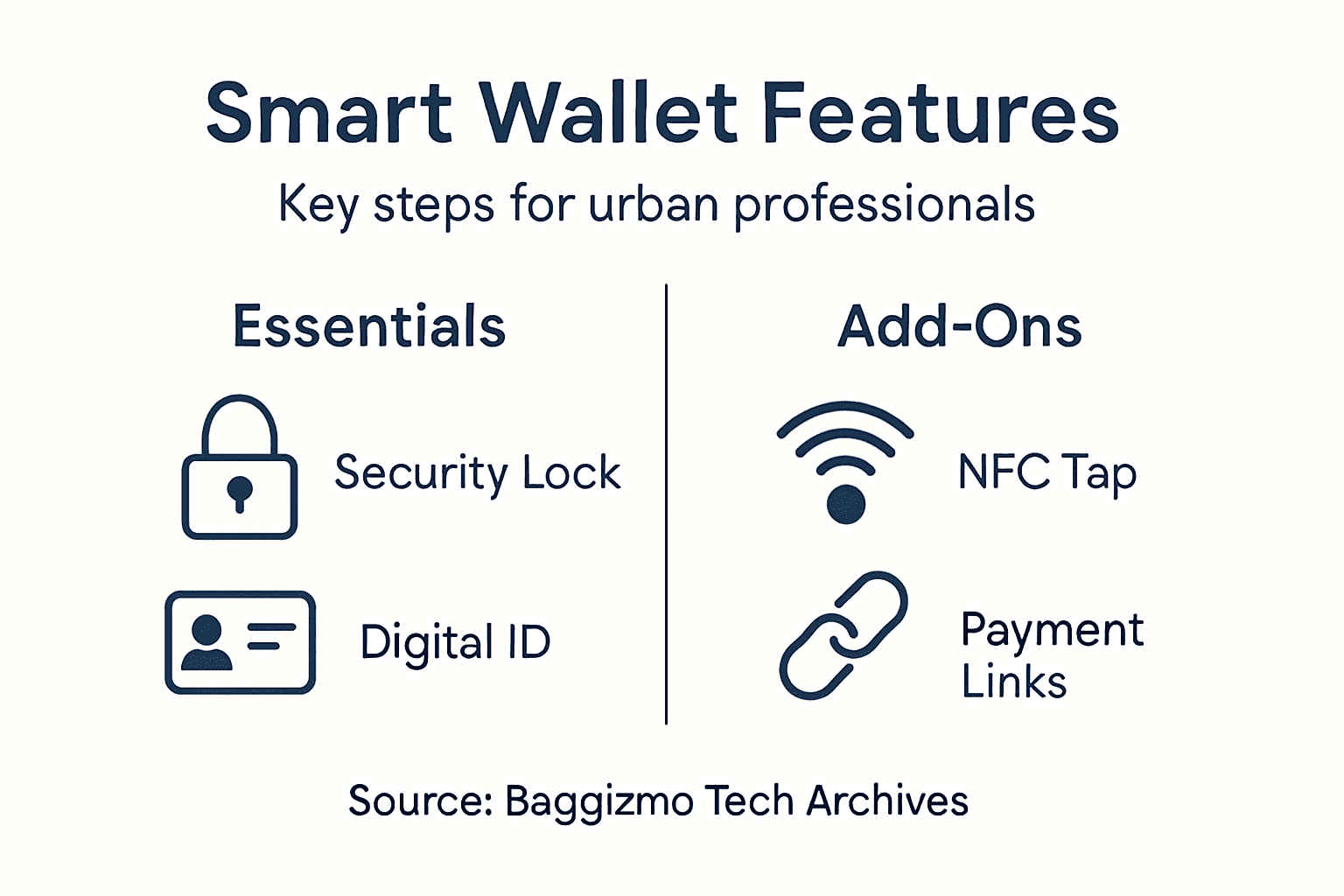
Start by exploring wallet intelligence technologies that provide comprehensive connectivity options. Enable Near Field Communication (NFC) for seamless contactless payments and proximity based interactions. Configure GPS tracking to locate your wallet instantly if misplaced. Investigate Bluetooth connectivity that allows syncing with your smartphone and other personal devices, creating a network of digital interactions that streamline your professional and personal transactions.
Carefully review the digital wallet connectivity features that match your specific needs. Set precise privacy controls to determine exactly what information gets shared and when. Pay attention to location tracking settings ensure they provide convenience without compromising personal security. Customize notifications to receive real time alerts about transactions, location changes, and potential security risks.
Pro tip: Always test connectivity features in a controlled environment before relying on them in critical situations to understand their full functionality and potential limitations.
Compare core connectivity options and when they are most useful:
| Connectivity Option | Primary Use Case | Key Consideration |
|---|---|---|
| NFC | Contactless payments, quick access | Ensure merchant compatibility |
| Bluetooth | Device syncing, smart notifications | Secure pairing required |
| GPS Tracking | Lost wallet location assistance | Manage privacy settings |
| App Integration | Seamless payment and ID access | Update regularly for security |
Step 4: Integrate Digital Payment Methods
Transforming your smart wallet into a powerful financial tool requires strategic integration of multiple digital payment methods. This step will help you create a comprehensive payment ecosystem that simplifies transactions and maximizes your wallet’s versatility.
Begin by exploring digital wallet payment integration techniques that support various financial networks. Link your primary bank accounts securely and ensure compatibility with major credit and debit card networks. Enable multiple payment channels including traditional card payments, mobile banking interfaces, and emerging contactless technologies like NFC and QR code scanning. Prioritize wallets that offer cryptocurrency support if you are interested in digital asset transactions.
Carefully configure secure payment integration protocols to protect your financial information. Verify each payment method’s security standards and encryption levels. Set up transaction alerts and implement multi factor authentication for each linked financial account. Choose payment methods that provide instant transaction verification and real time spend tracking to maintain comprehensive financial oversight.
Pro tip: Always maintain at least two separate payment methods in your digital wallet to ensure backup access during potential network interruptions or technical issues.
Step 5: Test and Verify All Smart Wallet Functions
Ensuring your smart wallet performs flawlessly requires systematic testing and verification of every feature and functionality. This critical step confirms your wallet meets performance standards and provides the reliability urban professionals demand.
Begin with comprehensive digital wallet testing protocols that cover all critical systems. Methodically check each function including biometric authentication, payment processing, connectivity features, and security mechanisms. Simulate various real world scenarios such as low battery conditions, network interruptions, and multiple transaction types to validate consistent performance. Verify that each payment method connects seamlessly and generates accurate transaction records.
Conduct thorough smart wallet functionality checks across different environments and usage scenarios. Test biometric login using different lighting conditions and angles. Validate NFC payment capabilities by attempting transactions at multiple merchant terminals. Ensure location tracking and device syncing work reliably across different smartphone models. Carefully review transaction logs to confirm precise financial tracking and instant notification systems.
Pro tip: Document any testing anomalies immediately and contact wallet support for resolution before relying on the device for critical transactions.
Elevate Your Urban Lifestyle with Smart Wallets and Functional Design
Managing digital identity and security with a smart wallet is essential for the modern urban professional. The challenges of protecting sensitive information, enabling seamless payments, and integrating advanced connectivity features demand a wallet that combines innovation and style. If you want a solution that addresses biometric access, two-factor authentication, and easy digital payment integrations while maintaining exclusivity and practicality you need to explore options that blend cutting-edge tech with elegant craftsmanship.
Discover the perfect balance by browsing our Tech Archives – Baggizmo for smart wallets designed to meet these specific demands. Complement your smart wallet with accessories that reflect sophisticated design from our Design Archives – Baggizmo. Don’t miss out on exclusive offers available now at Baggizmo Shop where style meets functionality. Upgrade your city routine today by choosing a smart wallet that not only protects your digital identity but elevates your everyday experience.
Frequently Asked Questions
How do I assess my smart wallet needs as an urban professional?
Understanding your smart wallet needs starts with identifying your daily digital interactions. Create a list of personal and professional data you frequently access or share, such as government IDs or financial documents, to ensure you select a wallet that fits your lifestyle.
What core security features should I set up for my smart wallet?
Implementing strong security measures is crucial for protecting your smart wallet. Begin by enabling biometric access and two-factor authentication while using complex passcodes, which can significantly reduce unauthorized access risk and enhance your personal security.
How can I activate tracking and connectivity options in my smart wallet?
To enhance your smart wallet’s functionality, enable features like Near Field Communication (NFC) for contactless payments and GPS tracking for wallet location. Test these features in a controlled environment to ensure they work as expected for your daily needs.
How do I integrate digital payment methods into my smart wallet?
Integrating digital payment methods involves linking your primary bank accounts and enabling options like mobile banking and cryptocurrency support. Maintain at least two payment methods in your wallet to ensure backup access during network interruptions.
What steps should I follow to test and verify my smart wallet functions?
Conduct thorough testing of all smart wallet functions by simulating real-world scenarios. Check biometric authentication, payment processing, and connectivity features to confirm consistent performance and reliable tracking.
Recommended
- How to Style Smart Wallets for Modern Urban Looks
- Why Invest in Smart Wallets: Security Meets Style
- How to Select Tech-Smart Wallets for Modern Security
- What Is Smart Wallet and Why It Matters
- Complete Guide to Smart Tech Investments – BizDev Strategy
Need an everyday carry bag?
Meet Baggizmo Crossbody — built for daily essentials, close and secure.


